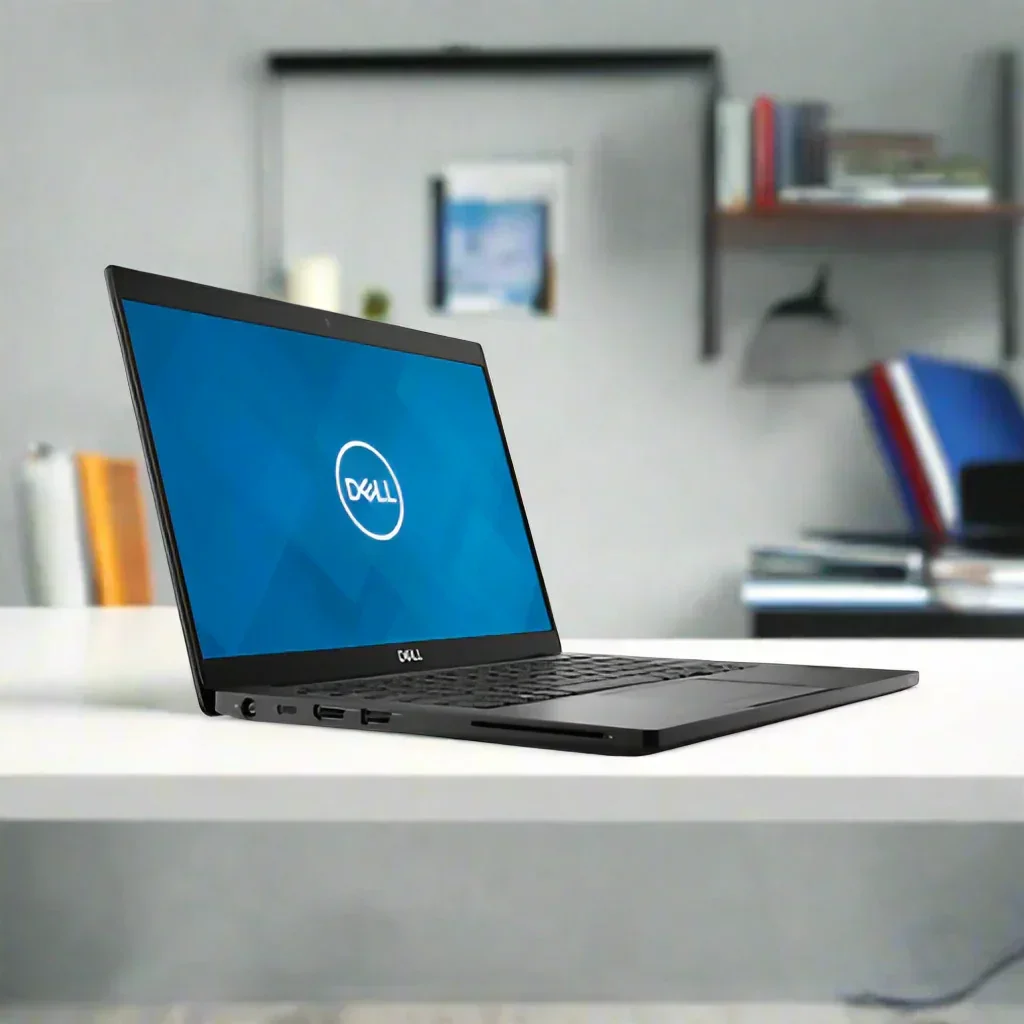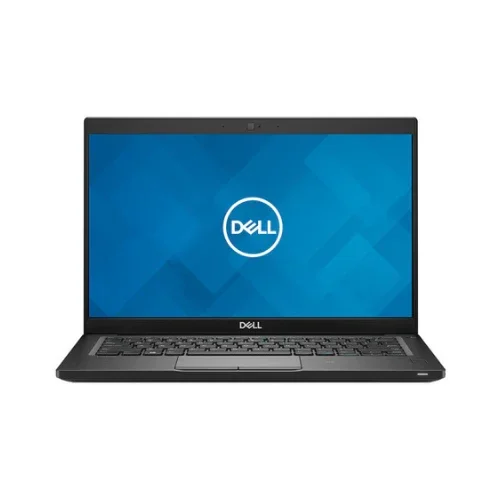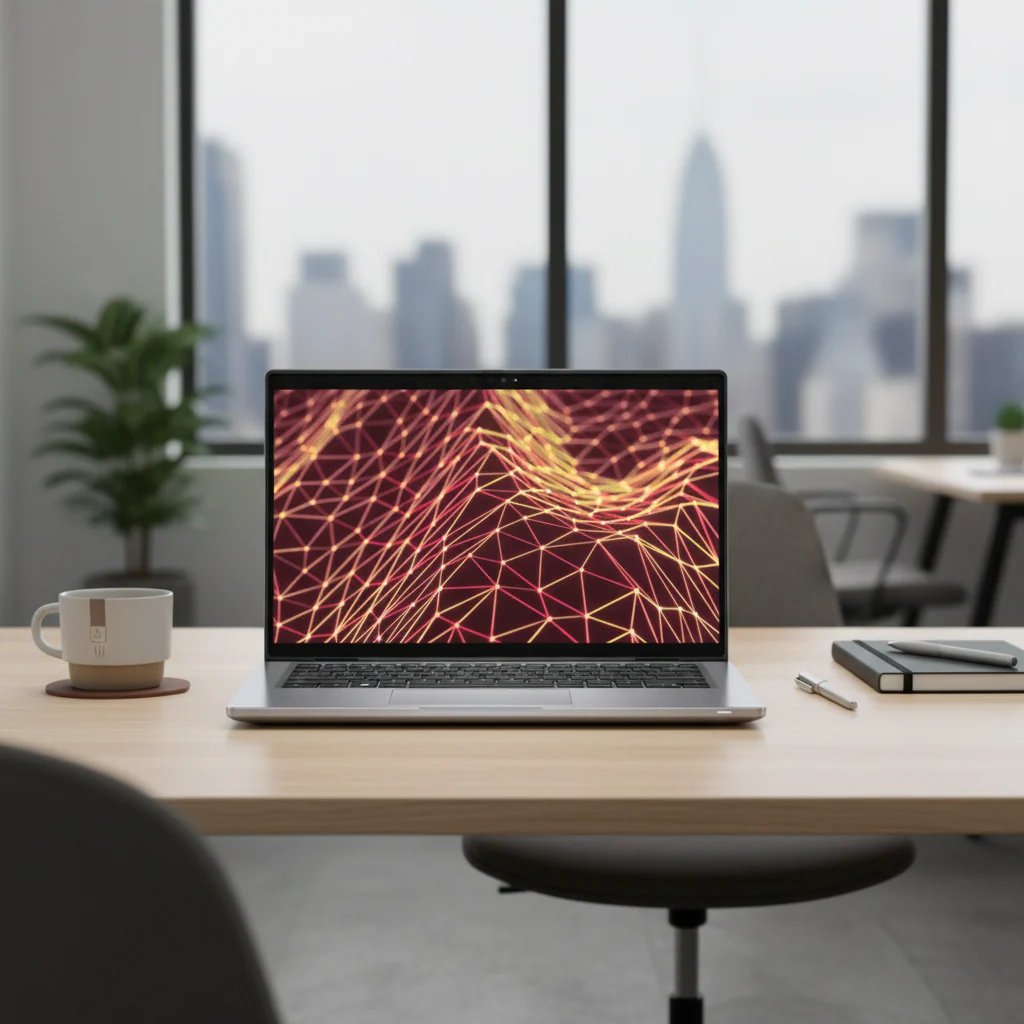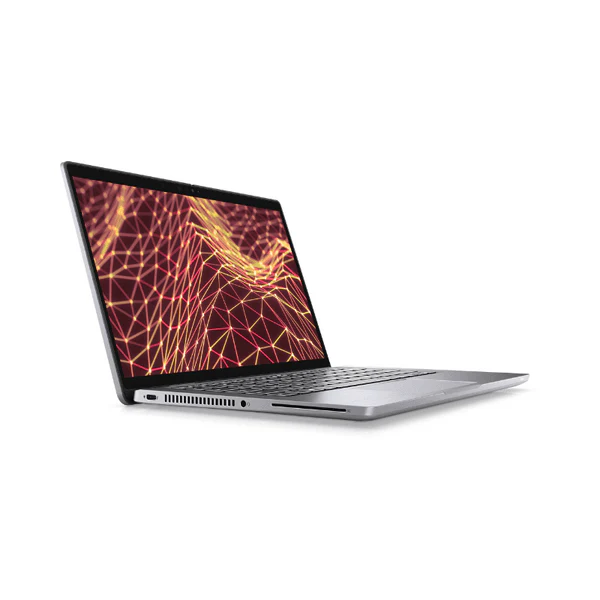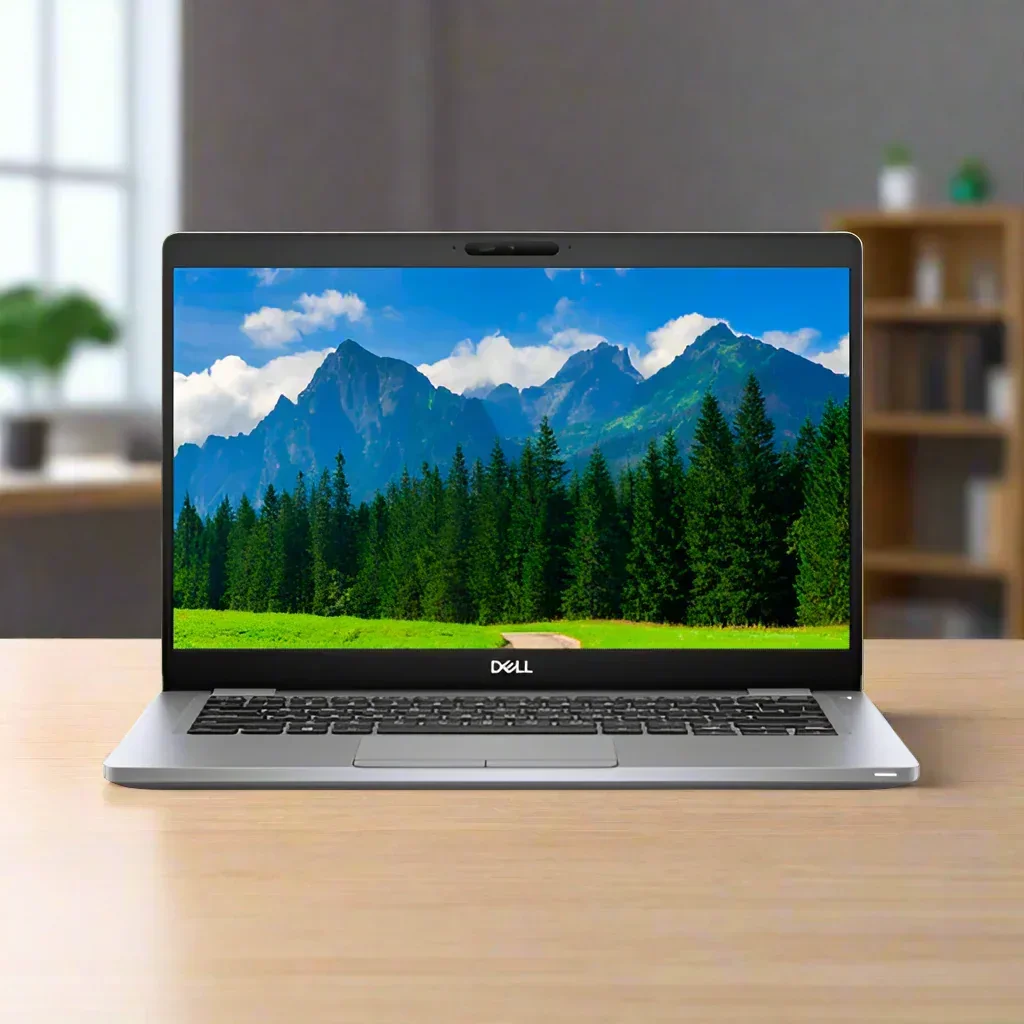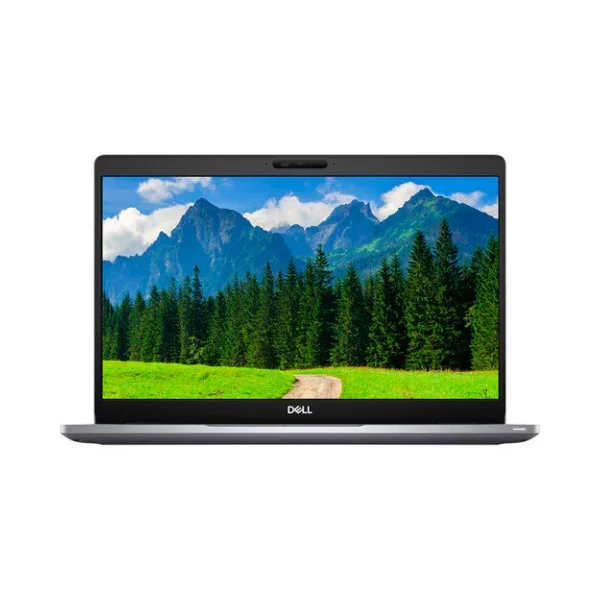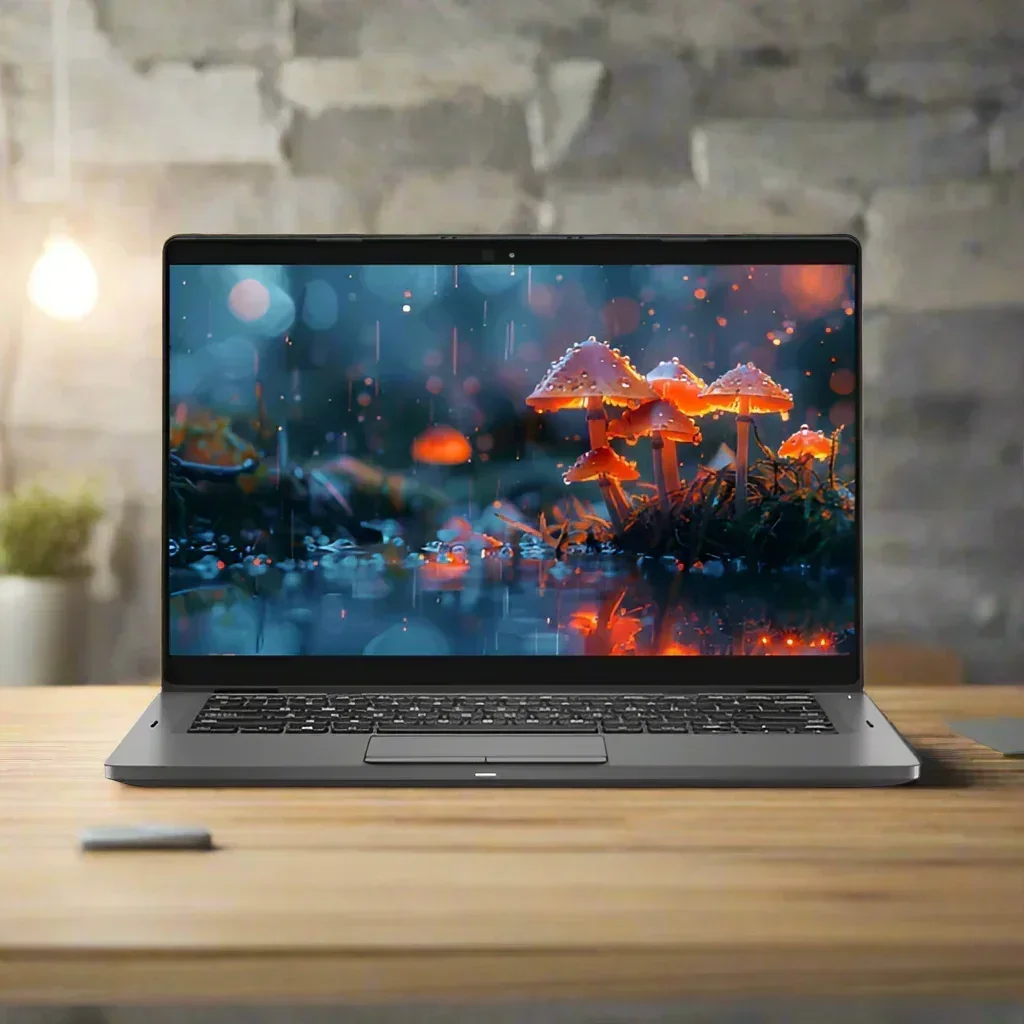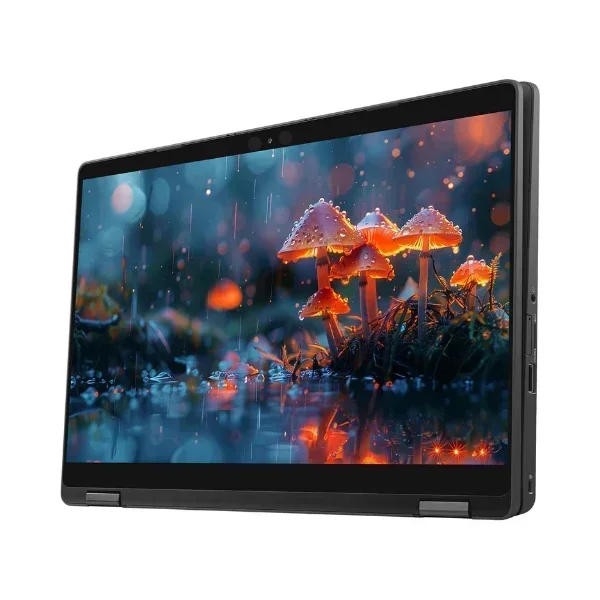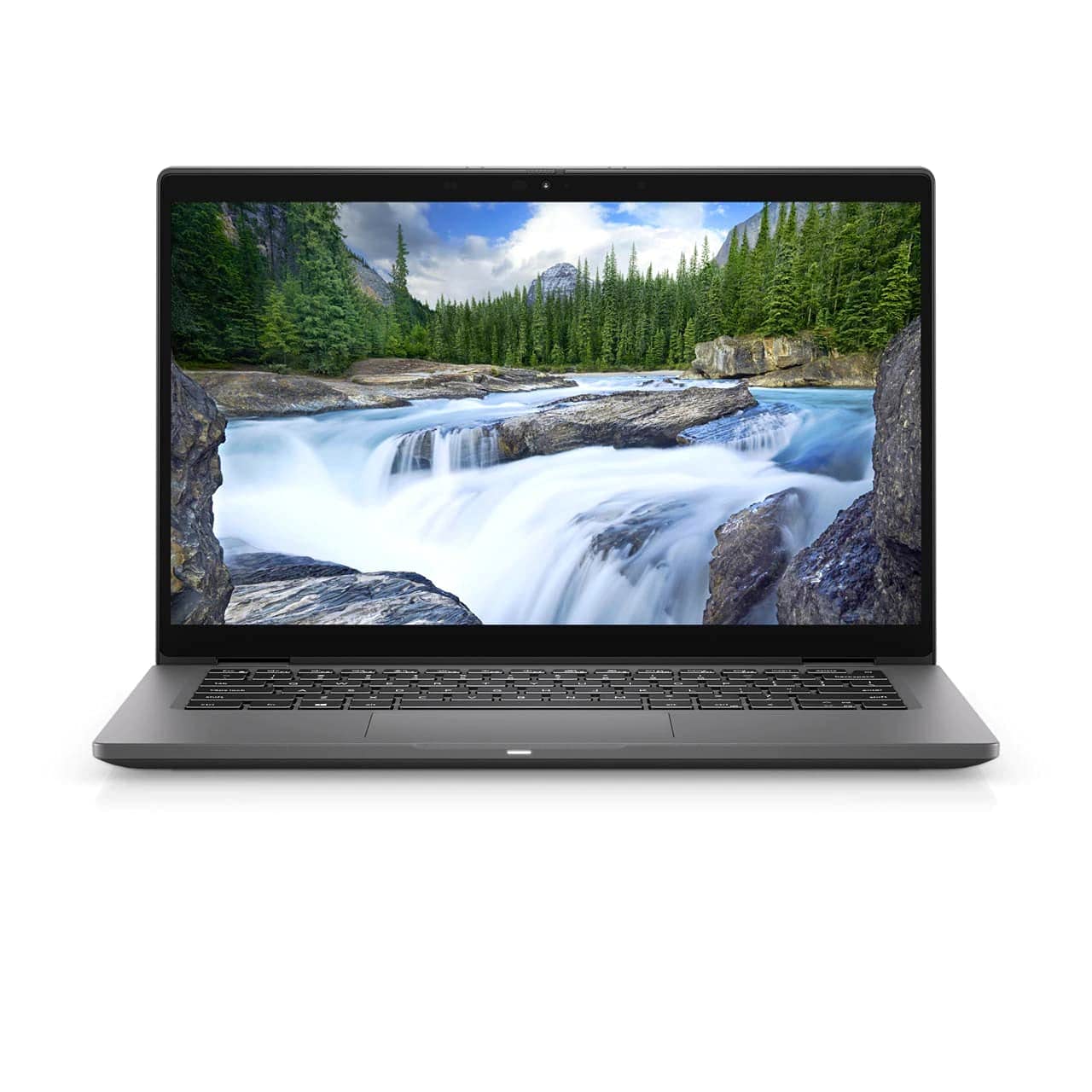
Dell Latitude 5300 13.3" FHD i5-8365U 8GB 256GB NVMe SSD Backlit Win 11 | Wty
Dell Latitude 5300 — Compact 13.3" Business Laptop Built for Mobile Professionals
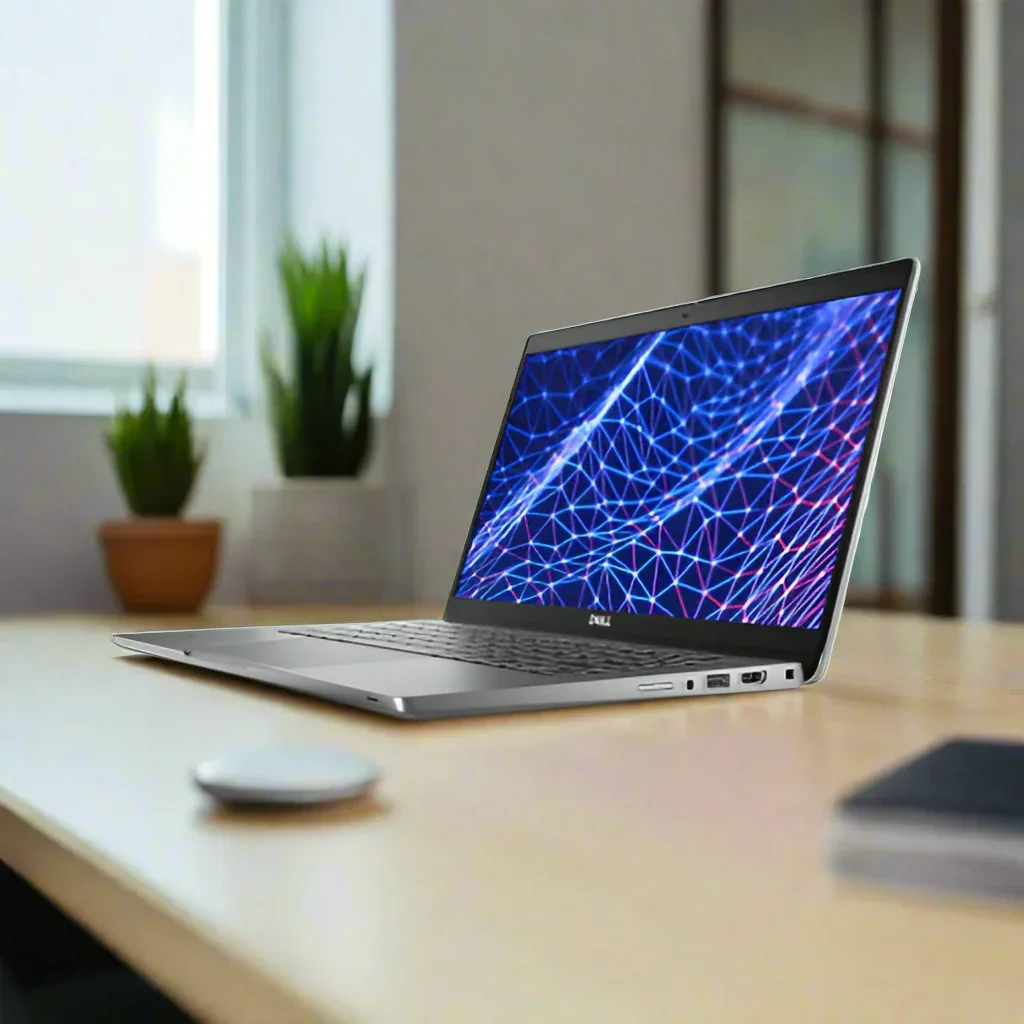
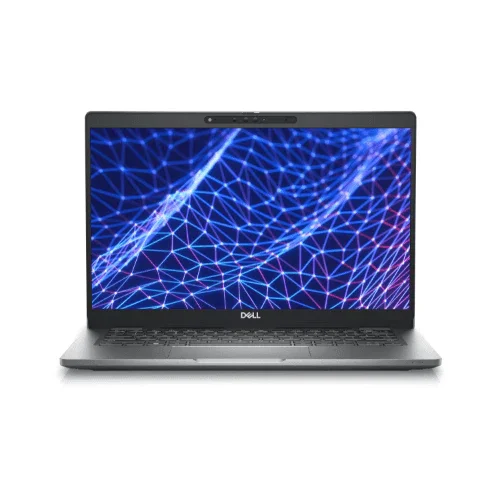
The Dell Latitude 5300 delivers enterprise-grade performance in a slim, lightweight 1.34kg chassis — ideal for professionals who need a capable, secure machine they can take anywhere. Backed by a 12-month Reboot IT warranty.
⚠ BIOS Lock Notice: This unit has a BIOS password — BIOS settings cannot be changed. The laptop boots and runs Windows 11 Pro normally. Priced to reflect this limitation.
Why Choose the Latitude 5300?
- Business-grade Intel vPro security — i5-8365U with Intel vPro, TPM 2.0, and hardware-level management features designed for IT-managed environments
- Crisp Full HD anti-glare display — 13.3" 1920×1080 IPS panel with anti-glare coating reduces eye strain whether in the office or on the road
- Zippy NVMe SSD storage — 256GB M.2 PCIe NVMe SSD delivers read speeds several times faster than traditional SATA SSDs for snappy boot times and file transfers
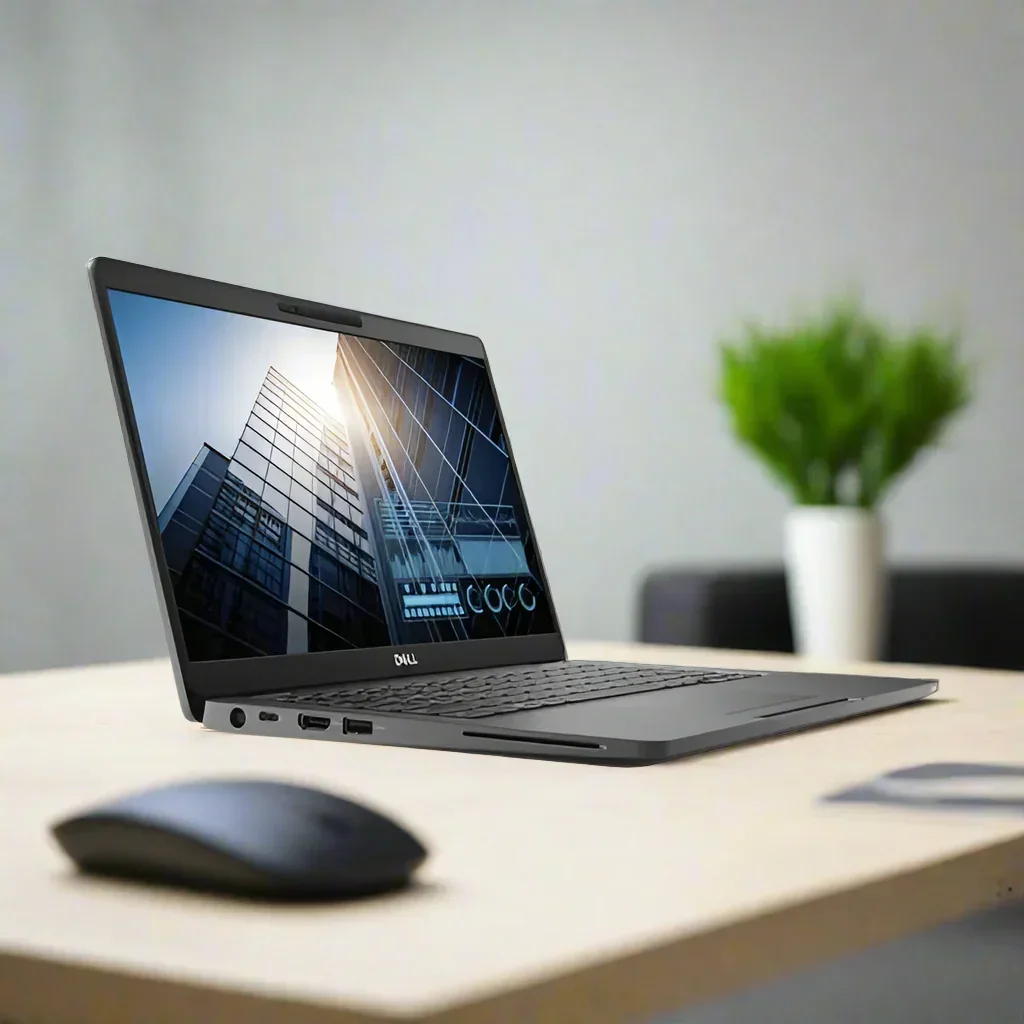
- Versatile connectivity — USB-C Gen2 with Power Delivery, 2× USB 3.1, HDMI 1.4b, MicroSD, 4G LTE-ready (microSIM slot), WiFi 5, and Bluetooth 5.0
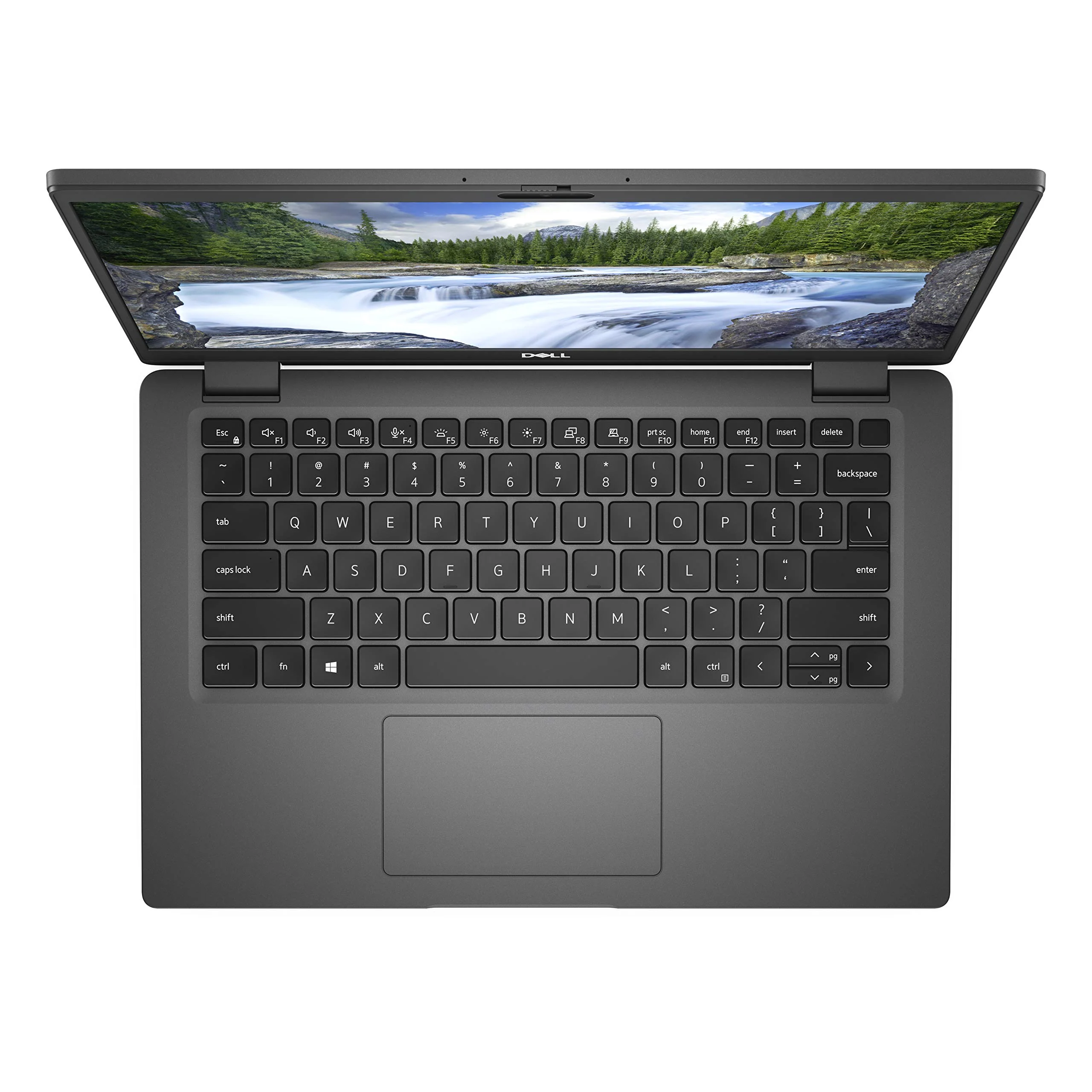
- Comfortable all-day typing — backlit keyboard with comfortable travel makes working in dim environments or late-night sessions effortless
- Ready to work out of the box — Windows 11 Pro pre-installed with 12 months of Reboot IT warranty coverage included
Performance in Use
The Intel Core i5-8365U is an 8th Generation quad-core processor with Hyper-Threading (8 threads), running at 1.6GHz base and boosting to 4.1GHz under load. Paired with 8GB of DDR4-2666MHz RAM and a fast NVMe SSD, this machine handles everyday productivity tasks — web browsing, email, Office 365, video calls, spreadsheets, and light multitasking — with ease. Windows 11 Pro runs smoothly, and startup from cold takes under 15 seconds on the NVMe drive.
The Intel UHD 620 integrated graphics handle standard display output including dual-monitor setups via HDMI and USB-C, and are suitable for presentations, document work, and occasional video editing at 1080p. Gaming or GPU-intensive rendering is not this machine's strength, but for business productivity it delivers a responsive, frustration-free experience.
One important note: these units carry a BIOS lock, meaning BIOS settings (including boot order) cannot be modified. The system boots directly to Windows from the internal SSD. This is common in enterprise-retired fleet hardware and has no impact on day-to-day Windows use — it simply means you cannot re-image the drive or boot from USB. If you're using the machine as a standard Windows laptop, you will not notice any limitation.
Technical Specifications
| Brand | Dell |
| Model | Latitude 5300 |
| Processor | Intel Core i5-8365U (8th Gen, 4-core/8-thread, 1.6GHz base / 4.1GHz turbo, vPro) |
| RAM | 8GB DDR4 2666MHz |
| Storage | 256GB M.2 PCIe NVMe SSD |
| Display | 13.3" Full HD (1920×1080) IPS Anti-Glare, non-touch |
| Graphics | Intel UHD 620 (integrated) |
| Operating System | Windows 11 Pro |
| Wireless | WiFi 5 (802.11ac), Bluetooth 5.0 |
| Mobile Data | MicroSIM slot (4G LTE capable) |
| Ports | USB-C Gen2 (Power Delivery), 2× USB 3.1, HDMI 1.4b, MicroSD, 3.5mm audio |
| Webcam | 720p with microphone |
| Keyboard | Backlit |
| Security | TPM 2.0, Intel vPro, BIOS password (settings locked — see notice above) |
| Weight | Approx. 1.34kg |
| Warranty | 12 months — Reboot IT |
Is It Right for You?
|
✓ Best For
|
✗ Not For
|
Condition Grades
| A — Excellent | Minor cosmetic marks only (light scratches, small scuffs) — nothing that affects function. Screen clean, no dead pixels. Battery holds 70%+ of original capacity. Fully tested and reset to Windows 11 Pro. 30-day battery warranty included. |
| B — Good | Visible wear — scratches, scuffs, or minor dents. Fully functional. Battery holds 50–70% of original capacity. Tested and reset to Windows 11 Pro. 30-day battery warranty included. |
Frequently Asked Questions
What does the BIOS lock actually mean?
The BIOS is protected with a password that we cannot remove. This means BIOS settings (including boot order, secure boot toggle, and hardware configuration menus) cannot be accessed or changed. The machine boots directly to Windows 11 Pro from the internal SSD — exactly as you'd expect from a normal laptop. Everything in Windows works as normal: you can install software, change Windows settings, connect peripherals, and use all ports. The limitation only matters if you need to boot from an external USB drive or change BIOS-level settings.
Can I still use this as a regular Windows laptop?
Yes, absolutely. The BIOS lock has no effect on day-to-day Windows use. You can browse the web, run Office applications, join video calls, connect external monitors via HDMI or USB-C, use all USB ports, and update Windows normally. The price reflects the BIOS limitation, making it excellent value for standard use cases.
Does it run Windows 11?
Yes. Each unit comes with Windows 11 Pro pre-installed and activated. The i5-8365U and TPM 2.0 meet Windows 11 hardware requirements.
Is shipping free?
Yes — free standard shipping anywhere in Australia. Most metro orders arrive within 2–4 business days. Express options are available at checkout.
What does the 12-month warranty cover?
Our 12-month warranty covers hardware faults — if something fails under normal use, we repair or replace it. Battery is covered for 30 days (Grade A: 70%+ capacity; Grade B: 50–70%). Fair use policy applies. Accidental damage is not included.
Can I connect an external monitor?
Yes — you can connect an external display via HDMI 1.4b (up to 1080p@60Hz or 4K@30Hz) or via USB-C (DisplayPort Alt Mode, up to 4K). This supports dual-monitor setups for desktop-style productivity.
Does it support 4G mobile data?
The Latitude 5300 has a built-in microSIM slot for 4G LTE. Whether the LTE modem is present depends on the individual unit's original configuration — this is a feature of the 5300 platform but is not guaranteed in every unit we sell. Check the listing or contact us before purchase if mobile connectivity is essential.
Warranty & Delivery
Every Dell Latitude 5300 sold by Reboot IT includes:
- 12-month hardware warranty — repair or replacement if something fails under normal use
- 30-day battery warranty — battery capacity guaranteed to spec at time of sale
- Free standard shipping across Australia — no minimum spend
- Windows 11 Pro pre-installed and activated
Reboot IT is a Melbourne-based refurbished IT specialist, established in 2001. We test, refurbish, and warranty every device before it leaves our workshop. Browse our full range at reboot-it.com.au.
Dell Latitude 5300 — Compact 13.3" Business Laptop Built for Mobile Professionals
The Dell Latitude 5300 delivers enterprise-grade performance in a slim, lightweight 1.34kg chassis — ideal for professionals who need a capable, secure machine they can take anywhere. Backed by a 12-month Reboot IT warranty.
⚠ BIOS Lock Notice: This unit has a BIOS password — BIOS settings cannot be changed. The laptop boots and runs Windows 11 Pro normally. Priced to reflect this limitation.
Why Choose the Latitude 5300?
- Business-grade Intel vPro security — i5-8365U with Intel vPro, TPM 2.0, and hardware-level management features designed for IT-managed environments
- Crisp Full HD anti-glare display — 13.3" 1920×1080 IPS panel with anti-glare coating reduces eye strain whether in the office or on the road
- Zippy NVMe SSD storage — 256GB M.2 PCIe NVMe SSD delivers read speeds several times faster than traditional SATA SSDs for snappy boot times and file transfers
- Versatile connectivity — USB-C Gen2 with Power Delivery, 2× USB 3.1, HDMI 1.4b, MicroSD, 4G LTE-ready (microSIM slot), WiFi 5, and Bluetooth 5.0
- Comfortable all-day typing — backlit keyboard with comfortable travel makes working in dim environments or late-night sessions effortless
- Ready to work out of the box — Windows 11 Pro pre-installed with 12 months of Reboot IT warranty coverage included
Performance in Use
The Intel Core i5-8365U is an 8th Generation quad-core processor with Hyper-Threading (8 threads), running at 1.6GHz base and boosting to 4.1GHz under load. Paired with 8GB of DDR4-2666MHz RAM and a fast NVMe SSD, this machine handles everyday productivity tasks — web browsing, email, Office 365, video calls, spreadsheets, and light multitasking — with ease. Windows 11 Pro runs smoothly, and startup from cold takes under 15 seconds on the NVMe drive.
The Intel UHD 620 integrated graphics handle standard display output including dual-monitor setups via HDMI and USB-C, and are suitable for presentations, document work, and occasional video editing at 1080p. Gaming or GPU-intensive rendering is not this machine's strength, but for business productivity it delivers a responsive, frustration-free experience.
One important note: these units carry a BIOS lock, meaning BIOS settings (including boot order) cannot be modified. The system boots directly to Windows from the internal SSD. This is common in enterprise-retired fleet hardware and has no impact on day-to-day Windows use — it simply means you cannot re-image the drive or boot from USB. If you're using the machine as a standard Windows laptop, you will not notice any limitation.
Technical Specifications
| Brand | Dell |
| Model | Latitude 5300 |
| Processor | Intel Core i5-8365U (8th Gen, 4-core/8-thread, 1.6GHz base / 4.1GHz turbo, vPro) |
| RAM | 8GB DDR4 2666MHz |
| Storage | 256GB M.2 PCIe NVMe SSD |
| Display | 13.3" Full HD (1920×1080) IPS Anti-Glare, non-touch |
| Graphics | Intel UHD 620 (integrated) |
| Operating System | Windows 11 Pro |
| Wireless | WiFi 5 (802.11ac), Bluetooth 5.0 |
| Mobile Data | MicroSIM slot (4G LTE capable) |
| Ports | USB-C Gen2 (Power Delivery), 2× USB 3.1, HDMI 1.4b, MicroSD, 3.5mm audio |
| Webcam | 720p with microphone |
| Keyboard | Backlit |
| Security | TPM 2.0, Intel vPro, BIOS password (settings locked — see notice above) |
| Weight | Approx. 1.34kg |
| Warranty | 12 months — Reboot IT |
Is It Right for You?
|
✓ Best For
|
✗ Not For
|
Condition Grades
| A — Excellent | Minor cosmetic marks only (light scratches, small scuffs) — nothing that affects function. Screen clean, no dead pixels. Battery holds 70%+ of original capacity. Fully tested and reset to Windows 11 Pro. 30-day battery warranty included. |
| B — Good | Visible wear — scratches, scuffs, or minor dents. Fully functional. Battery holds 50–70% of original capacity. Tested and reset to Windows 11 Pro. 30-day battery warranty included. |
Frequently Asked Questions
What does the BIOS lock actually mean?
The BIOS is protected with a password that we cannot remove. This means BIOS settings (including boot order, secure boot toggle, and hardware configuration menus) cannot be accessed or changed. The machine boots directly to Windows 11 Pro from the internal SSD — exactly as you'd expect from a normal laptop. Everything in Windows works as normal: you can install software, change Windows settings, connect peripherals, and use all ports. The limitation only matters if you need to boot from an external USB drive or change BIOS-level settings.
Can I still use this as a regular Windows laptop?
Yes, absolutely. The BIOS lock has no effect on day-to-day Windows use. You can browse the web, run Office applications, join video calls, connect external monitors via HDMI or USB-C, use all USB ports, and update Windows normally. The price reflects the BIOS limitation, making it excellent value for standard use cases.
Does it run Windows 11?
Yes. Each unit comes with Windows 11 Pro pre-installed and activated. The i5-8365U and TPM 2.0 meet Windows 11 hardware requirements.
Is shipping free?
Yes — free standard shipping anywhere in Australia. Most metro orders arrive within 2–4 business days. Express options are available at checkout.
What does the 12-month warranty cover?
Our 12-month warranty covers hardware faults — if something fails under normal use, we repair or replace it. Battery is covered for 30 days (Grade A: 70%+ capacity; Grade B: 50–70%). Fair use policy applies. Accidental damage is not included.
Can I connect an external monitor?
Yes — you can connect an external display via HDMI 1.4b (up to 1080p@60Hz or 4K@30Hz) or via USB-C (DisplayPort Alt Mode, up to 4K). This supports dual-monitor setups for desktop-style productivity.
Does it support 4G mobile data?
The Latitude 5300 has a built-in microSIM slot for 4G LTE. Whether the LTE modem is present depends on the individual unit's original configuration — this is a feature of the 5300 platform but is not guaranteed in every unit we sell. Check the listing or contact us before purchase if mobile connectivity is essential.
Warranty & Delivery
Every Dell Latitude 5300 sold by Reboot IT includes:
- 12-month hardware warranty — repair or replacement if something fails under normal use
- 30-day battery warranty — battery capacity guaranteed to spec at time of sale
- Free standard shipping across Australia — no minimum spend
- Windows 11 Pro pre-installed and activated
Reboot IT is a Melbourne-based refurbished IT specialist, established in 2001. We test, refurbish, and warranty every device before it leaves our workshop. Browse our full range at reboot-it.com.au.
Original: $173.13
-65%$173.13
$60.60Description
Dell Latitude 5300 — Compact 13.3" Business Laptop Built for Mobile Professionals
The Dell Latitude 5300 delivers enterprise-grade performance in a slim, lightweight 1.34kg chassis — ideal for professionals who need a capable, secure machine they can take anywhere. Backed by a 12-month Reboot IT warranty.
⚠ BIOS Lock Notice: This unit has a BIOS password — BIOS settings cannot be changed. The laptop boots and runs Windows 11 Pro normally. Priced to reflect this limitation.
Why Choose the Latitude 5300?
- Business-grade Intel vPro security — i5-8365U with Intel vPro, TPM 2.0, and hardware-level management features designed for IT-managed environments
- Crisp Full HD anti-glare display — 13.3" 1920×1080 IPS panel with anti-glare coating reduces eye strain whether in the office or on the road
- Zippy NVMe SSD storage — 256GB M.2 PCIe NVMe SSD delivers read speeds several times faster than traditional SATA SSDs for snappy boot times and file transfers
- Versatile connectivity — USB-C Gen2 with Power Delivery, 2× USB 3.1, HDMI 1.4b, MicroSD, 4G LTE-ready (microSIM slot), WiFi 5, and Bluetooth 5.0
- Comfortable all-day typing — backlit keyboard with comfortable travel makes working in dim environments or late-night sessions effortless
- Ready to work out of the box — Windows 11 Pro pre-installed with 12 months of Reboot IT warranty coverage included
Performance in Use
The Intel Core i5-8365U is an 8th Generation quad-core processor with Hyper-Threading (8 threads), running at 1.6GHz base and boosting to 4.1GHz under load. Paired with 8GB of DDR4-2666MHz RAM and a fast NVMe SSD, this machine handles everyday productivity tasks — web browsing, email, Office 365, video calls, spreadsheets, and light multitasking — with ease. Windows 11 Pro runs smoothly, and startup from cold takes under 15 seconds on the NVMe drive.
The Intel UHD 620 integrated graphics handle standard display output including dual-monitor setups via HDMI and USB-C, and are suitable for presentations, document work, and occasional video editing at 1080p. Gaming or GPU-intensive rendering is not this machine's strength, but for business productivity it delivers a responsive, frustration-free experience.
One important note: these units carry a BIOS lock, meaning BIOS settings (including boot order) cannot be modified. The system boots directly to Windows from the internal SSD. This is common in enterprise-retired fleet hardware and has no impact on day-to-day Windows use — it simply means you cannot re-image the drive or boot from USB. If you're using the machine as a standard Windows laptop, you will not notice any limitation.
Technical Specifications
| Brand | Dell |
| Model | Latitude 5300 |
| Processor | Intel Core i5-8365U (8th Gen, 4-core/8-thread, 1.6GHz base / 4.1GHz turbo, vPro) |
| RAM | 8GB DDR4 2666MHz |
| Storage | 256GB M.2 PCIe NVMe SSD |
| Display | 13.3" Full HD (1920×1080) IPS Anti-Glare, non-touch |
| Graphics | Intel UHD 620 (integrated) |
| Operating System | Windows 11 Pro |
| Wireless | WiFi 5 (802.11ac), Bluetooth 5.0 |
| Mobile Data | MicroSIM slot (4G LTE capable) |
| Ports | USB-C Gen2 (Power Delivery), 2× USB 3.1, HDMI 1.4b, MicroSD, 3.5mm audio |
| Webcam | 720p with microphone |
| Keyboard | Backlit |
| Security | TPM 2.0, Intel vPro, BIOS password (settings locked — see notice above) |
| Weight | Approx. 1.34kg |
| Warranty | 12 months — Reboot IT |
Is It Right for You?
|
✓ Best For
|
✗ Not For
|
Condition Grades
| A — Excellent | Minor cosmetic marks only (light scratches, small scuffs) — nothing that affects function. Screen clean, no dead pixels. Battery holds 70%+ of original capacity. Fully tested and reset to Windows 11 Pro. 30-day battery warranty included. |
| B — Good | Visible wear — scratches, scuffs, or minor dents. Fully functional. Battery holds 50–70% of original capacity. Tested and reset to Windows 11 Pro. 30-day battery warranty included. |
Frequently Asked Questions
What does the BIOS lock actually mean?
The BIOS is protected with a password that we cannot remove. This means BIOS settings (including boot order, secure boot toggle, and hardware configuration menus) cannot be accessed or changed. The machine boots directly to Windows 11 Pro from the internal SSD — exactly as you'd expect from a normal laptop. Everything in Windows works as normal: you can install software, change Windows settings, connect peripherals, and use all ports. The limitation only matters if you need to boot from an external USB drive or change BIOS-level settings.
Can I still use this as a regular Windows laptop?
Yes, absolutely. The BIOS lock has no effect on day-to-day Windows use. You can browse the web, run Office applications, join video calls, connect external monitors via HDMI or USB-C, use all USB ports, and update Windows normally. The price reflects the BIOS limitation, making it excellent value for standard use cases.
Does it run Windows 11?
Yes. Each unit comes with Windows 11 Pro pre-installed and activated. The i5-8365U and TPM 2.0 meet Windows 11 hardware requirements.
Is shipping free?
Yes — free standard shipping anywhere in Australia. Most metro orders arrive within 2–4 business days. Express options are available at checkout.
What does the 12-month warranty cover?
Our 12-month warranty covers hardware faults — if something fails under normal use, we repair or replace it. Battery is covered for 30 days (Grade A: 70%+ capacity; Grade B: 50–70%). Fair use policy applies. Accidental damage is not included.
Can I connect an external monitor?
Yes — you can connect an external display via HDMI 1.4b (up to 1080p@60Hz or 4K@30Hz) or via USB-C (DisplayPort Alt Mode, up to 4K). This supports dual-monitor setups for desktop-style productivity.
Does it support 4G mobile data?
The Latitude 5300 has a built-in microSIM slot for 4G LTE. Whether the LTE modem is present depends on the individual unit's original configuration — this is a feature of the 5300 platform but is not guaranteed in every unit we sell. Check the listing or contact us before purchase if mobile connectivity is essential.
Warranty & Delivery
Every Dell Latitude 5300 sold by Reboot IT includes:
- 12-month hardware warranty — repair or replacement if something fails under normal use
- 30-day battery warranty — battery capacity guaranteed to spec at time of sale
- Free standard shipping across Australia — no minimum spend
- Windows 11 Pro pre-installed and activated
Reboot IT is a Melbourne-based refurbished IT specialist, established in 2001. We test, refurbish, and warranty every device before it leaves our workshop. Browse our full range at reboot-it.com.au.