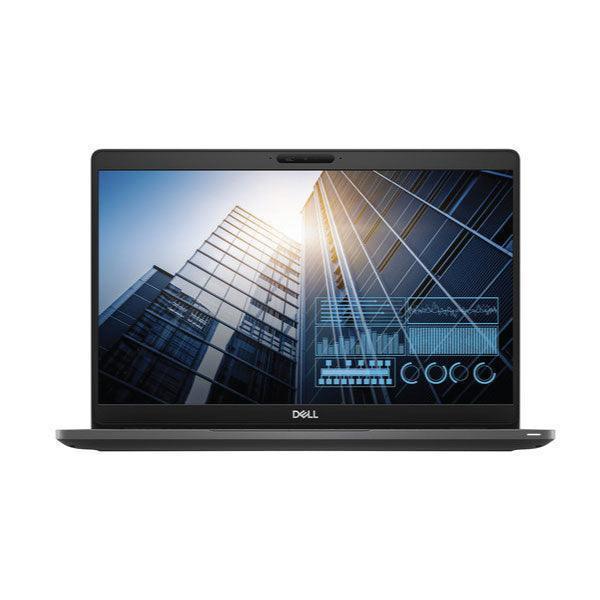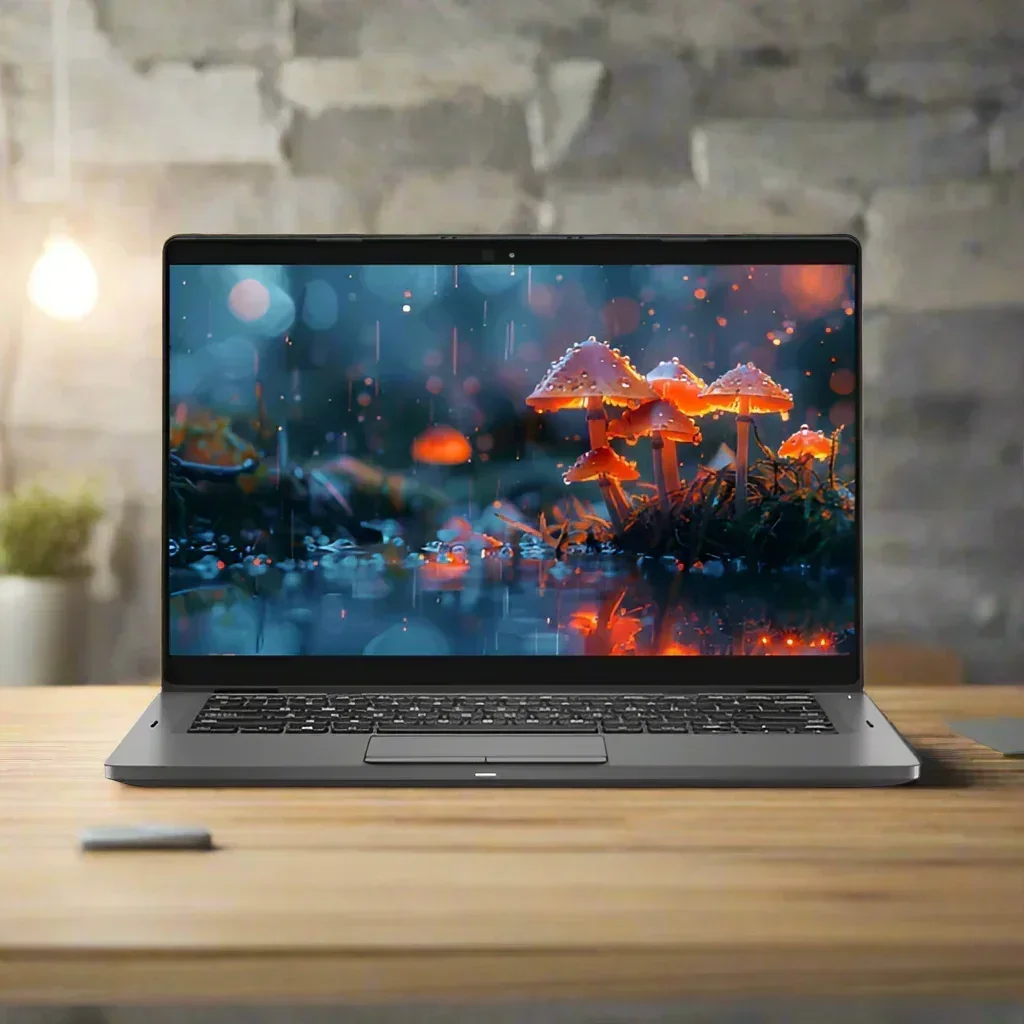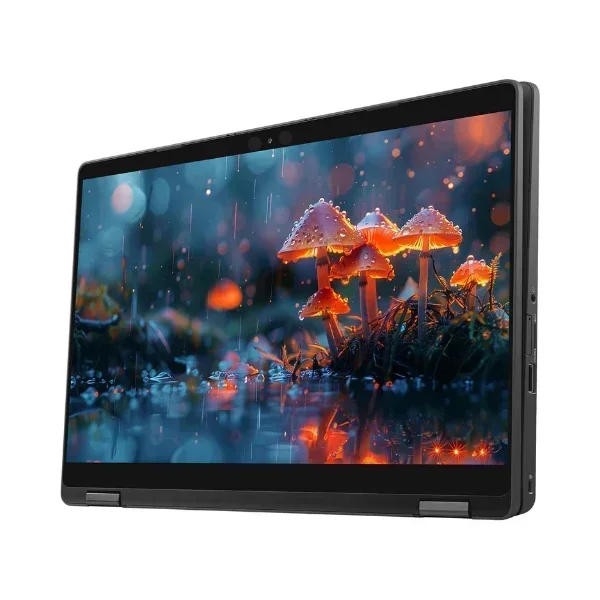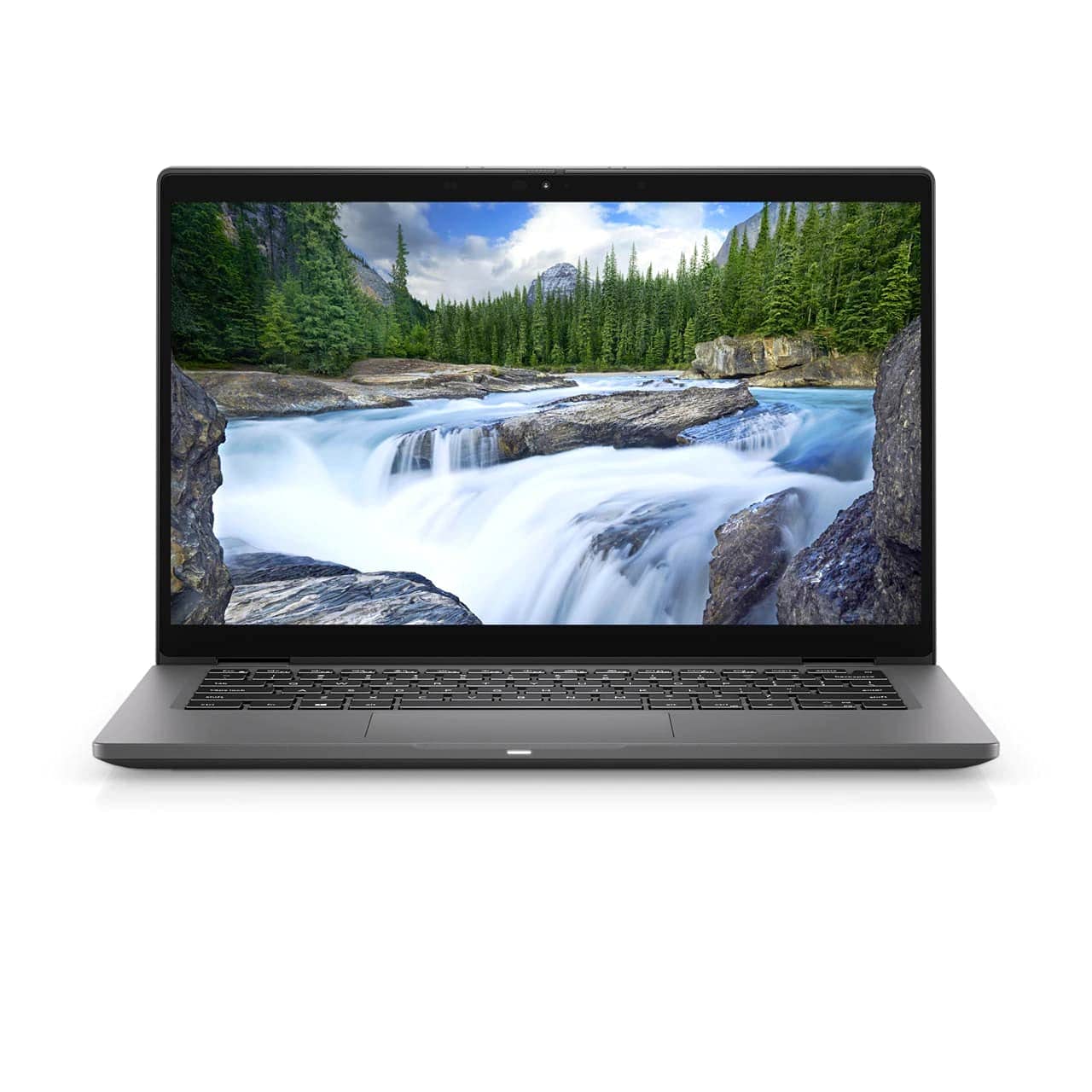
Lenovo ThinkPad L13 13.3" FHD i5-10210U 8GB 256GB SSD Backlit Win 11 Pro | Wty
Lenovo ThinkPad L13 — 13.3" Full HD Business Laptop
Intel Core i5-10210U • 8GB DDR4 • 256GB NVMe SSD • Windows 11 Pro • 12-Month Warranty
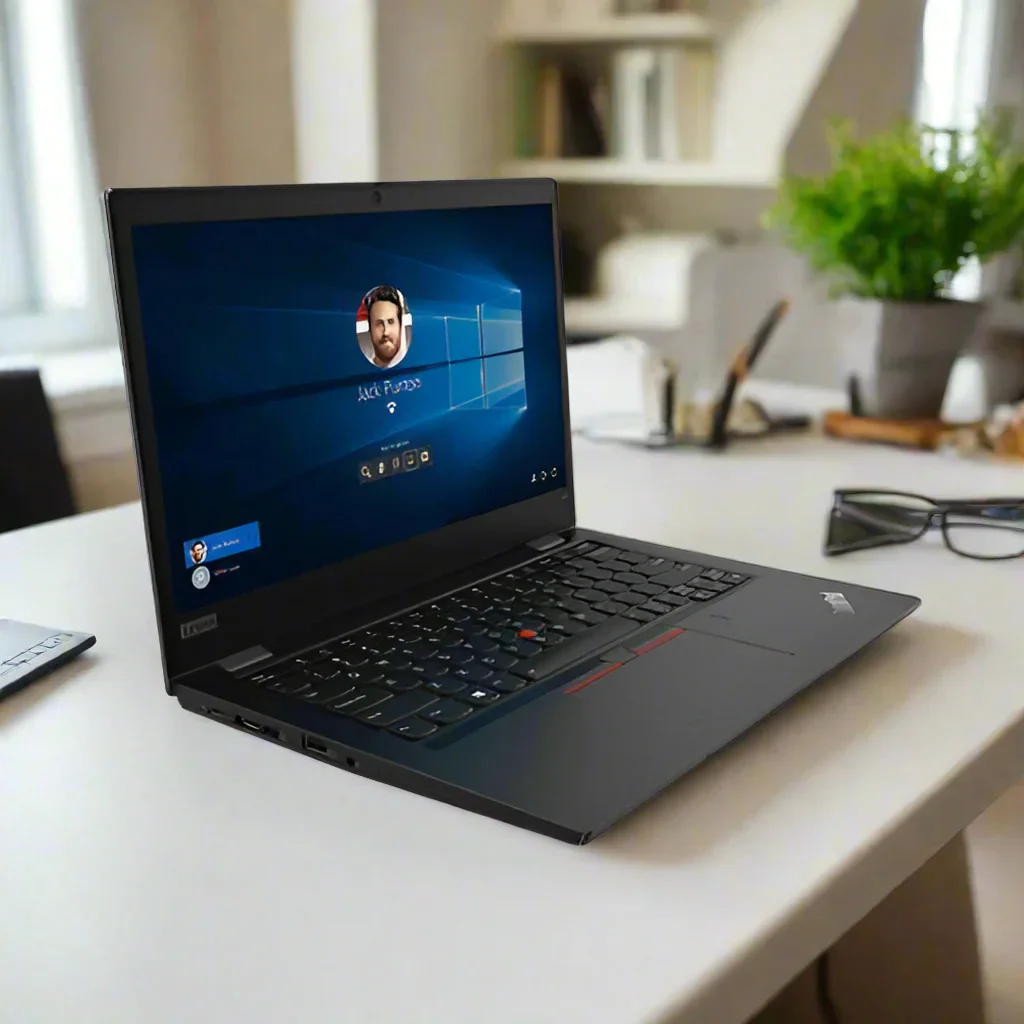
The Lenovo ThinkPad L13 is a 13.3-inch business laptop powered by a 10th Gen Intel Core i5-10210U quad-core processor, 8GB DDR4 RAM, a 256GB NVMe PCIe SSD, and a Full HD 1920×1080 anti-glare IPS display running Windows 11 Pro. Certified refurbished and backed by a 12-month Reboot IT warranty, it delivers corporate-grade keyboard quality and NVMe responsiveness at a practical refurbished price.
Because the SSD is NVMe rather than SATA, boot times sit under 15 seconds and application launches feel immediate — a meaningful step up from older refurbished laptops still running SATA drives. The i5-10210U handles standard office multitasking, video conferencing, and cloud-based workflows without hesitation.
Key Benefits
- NVMe speed in a compact chassis — 256GB PCIe SSD delivers 1,500–2,000 MB/s sequential reads, keeping boot and app launch times under 15 seconds.
- ThinkPad keyboard reliability — Spill-resistant, backlit keys with consistent travel, rated for intensive daily typing across long working sessions.
- Full HD IPS anti-glare display — 1920×1080 with an anti-glare coating that reduces eye strain in bright office or classroom environments.
- Physical webcam privacy — ThinkShutter sliding cover provides hardware-level privacy control for compliance and peace of mind during video calls.
- Windows 11 Pro pre-installed and activated — Includes BitLocker, Remote Desktop, and domain join capability for business deployment.
- 12-month warranty included — Every unit is fully tested and graded by Reboot IT technicians in Melbourne, with free standard AU shipping.
Performance in Use
In a standard office workday — Microsoft 365 apps, Chrome with 8–12 tabs, Teams video calls, and email — the ThinkPad L13 performs comfortably. The i5-10210U handles concurrent tasks without perceptible lag, and the NVMe SSD keeps file operations and application restores fast. CPU utilisation during a Teams call with background apps open sits around 55–65%, leaving headroom for additional tasks.
For students, the Full HD display and lightweight 1.38 kg build make it easy to carry between lectures and library sessions. The ThinkPad keyboard is widely favoured for long-form writing — keys have consistent travel and spacing that reduces typing fatigue across extended sessions. Battery life on a healthy Excellent-grade unit typically covers a full working day of office tasks at moderate screen brightness.
The 8GB RAM configuration handles focused multitasking well. The single SODIMM slot means a straightforward future upgrade to 16GB is possible if requirements grow. Intel UHD Graphics supports 1080p video playback and dual-display output but is not suited to 3D rendering or gaming workloads.
Technical Specifications
| Type | 13.3" business laptop (ThinkPad L series) |
| Processor | Intel Core i5-10210U (10th Gen, 4-core/8-thread, 1.6GHz base / 4.2GHz Turbo, 15W) |
| Memory | 8GB DDR4 2666MHz (single SODIMM; upgradeable to 16GB) |
| Storage | 256GB NVMe PCIe SSD (~1,500–2,000 MB/s sequential read) |
| Display | 13.3" Full HD 1920×1080, IPS-class, anti-glare, non-touch |
| Graphics | Intel UHD Graphics (integrated, Comet Lake) — 1080p video & dual display output |
| Wireless | Intel AC 9560 (802.11ac 2×2) + Bluetooth 5.0 |
| Ports | 2× USB-A 3.1, 1× USB-C 3.1, 1× HDMI, 1× RJ-45, 3.5mm combo audio jack, SD card reader |
| Camera | 720p HD with ThinkShutter physical privacy cover |
| Keyboard | Full-size backlit ThinkPad keyboard, spill-resistant |
| Operating System | Windows 11 Pro 64-bit (pre-installed & activated, TPM 2.0) |
| Colour | Black |
| Dimensions | 314 × 217 × 17.9 mm, 1.38 kg |
| Warranty | 12 months — Reboot IT Australia |
Is It Right for You?
|
✓ Best For Business productivity & Microsoft 365 Document-heavy workflows & writing Video conferencing (Teams, Zoom, Meet) University students & home office users Users who value keyboard quality & build Lightweight daily carry (1.38 kg) |
✗ Not For Gaming or 3D rendering Thunderbolt 3 docking stations Running multiple virtual machines Memory-intensive workloads beyond 8GB Touch screen requirement |
Condition Grades
| Grade | Cosmetic Condition | Battery |
| A — Excellent | Very minor scuffing only. Zero dead pixels. Even backlight. Ideal for client-facing use. | 70%+ capacity |
| B — Good | Visible scratches, up to 3 dead pixels, minor paint chips possible. Fully functional. | 50–70% capacity |
All grades carry a 12-month warranty. Battery warranty coverage: 30 days.
Frequently Asked Questions
Can it handle video calls alongside other applications?
Yes, comfortably. A Teams or Zoom call with Chrome, Word, and email open sits at around 55–65% CPU utilisation on the i5-10210U, leaving headroom for background tasks. Running memory-heavy applications simultaneously will start to push the 8GB RAM ceiling.
How does NVMe compare to SATA SSDs at this price?
The NVMe SSD in this L13 delivers sequential reads of 1,500–2,000 MB/s, versus approximately 500 MB/s on a SATA SSD. In daily use this means faster boot, quicker app launches, and more responsive tab switching when working across multiple programs.
Is this the ThinkPad L13 Gen 1 or Gen 2?
This is the original ThinkPad L13 (Gen 1, Type 20R3) with a 10th Gen Intel Comet Lake processor. The Gen 2 moved to 11th Gen Tiger Lake with Intel Iris Xe graphics. The Gen 1 with NVMe storage remains a well-priced, capable option for standard business and study workflows.
Does this laptop support Thunderbolt 3?
No. The L13 includes a USB-C 3.1 port but does not support Thunderbolt 3. Single-cable Thunderbolt docking stations are not compatible with this model.
Can RAM be upgraded?
Yes. The L13 has one occupied SODIMM slot and one free slot — you can add a second 8GB DDR4 module to reach 16GB total, or replace the existing stick with a 16GB module for 16GB single-channel. A straightforward upgrade for users who anticipate heavier workloads.
Does shipping cost extra?
No — free standard shipping is included across Australia. Express options are available at checkout.
12-Month Warranty — Included
Every ThinkPad L13 sold by Reboot IT is covered by a 12-month return-to-base warranty. We have been refurbishing and selling IT equipment in Melbourne since 2001, with full in-house technical capability for warranty repairs. Units are inspected, cleaned, data-wiped, and stress-tested before dispatch. Free standard AU shipping is included with every order. Visit reboot-it.com.au for warranty terms and claims.
Lenovo ThinkPad L13 — 13.3" Full HD Business Laptop
Intel Core i5-10210U • 8GB DDR4 • 256GB NVMe SSD • Windows 11 Pro • 12-Month Warranty
The Lenovo ThinkPad L13 is a 13.3-inch business laptop powered by a 10th Gen Intel Core i5-10210U quad-core processor, 8GB DDR4 RAM, a 256GB NVMe PCIe SSD, and a Full HD 1920×1080 anti-glare IPS display running Windows 11 Pro. Certified refurbished and backed by a 12-month Reboot IT warranty, it delivers corporate-grade keyboard quality and NVMe responsiveness at a practical refurbished price.
Because the SSD is NVMe rather than SATA, boot times sit under 15 seconds and application launches feel immediate — a meaningful step up from older refurbished laptops still running SATA drives. The i5-10210U handles standard office multitasking, video conferencing, and cloud-based workflows without hesitation.
Key Benefits
- NVMe speed in a compact chassis — 256GB PCIe SSD delivers 1,500–2,000 MB/s sequential reads, keeping boot and app launch times under 15 seconds.
- ThinkPad keyboard reliability — Spill-resistant, backlit keys with consistent travel, rated for intensive daily typing across long working sessions.
- Full HD IPS anti-glare display — 1920×1080 with an anti-glare coating that reduces eye strain in bright office or classroom environments.
- Physical webcam privacy — ThinkShutter sliding cover provides hardware-level privacy control for compliance and peace of mind during video calls.
- Windows 11 Pro pre-installed and activated — Includes BitLocker, Remote Desktop, and domain join capability for business deployment.
- 12-month warranty included — Every unit is fully tested and graded by Reboot IT technicians in Melbourne, with free standard AU shipping.
Performance in Use
In a standard office workday — Microsoft 365 apps, Chrome with 8–12 tabs, Teams video calls, and email — the ThinkPad L13 performs comfortably. The i5-10210U handles concurrent tasks without perceptible lag, and the NVMe SSD keeps file operations and application restores fast. CPU utilisation during a Teams call with background apps open sits around 55–65%, leaving headroom for additional tasks.
For students, the Full HD display and lightweight 1.38 kg build make it easy to carry between lectures and library sessions. The ThinkPad keyboard is widely favoured for long-form writing — keys have consistent travel and spacing that reduces typing fatigue across extended sessions. Battery life on a healthy Excellent-grade unit typically covers a full working day of office tasks at moderate screen brightness.
The 8GB RAM configuration handles focused multitasking well. The single SODIMM slot means a straightforward future upgrade to 16GB is possible if requirements grow. Intel UHD Graphics supports 1080p video playback and dual-display output but is not suited to 3D rendering or gaming workloads.
Technical Specifications
| Type | 13.3" business laptop (ThinkPad L series) |
| Processor | Intel Core i5-10210U (10th Gen, 4-core/8-thread, 1.6GHz base / 4.2GHz Turbo, 15W) |
| Memory | 8GB DDR4 2666MHz (single SODIMM; upgradeable to 16GB) |
| Storage | 256GB NVMe PCIe SSD (~1,500–2,000 MB/s sequential read) |
| Display | 13.3" Full HD 1920×1080, IPS-class, anti-glare, non-touch |
| Graphics | Intel UHD Graphics (integrated, Comet Lake) — 1080p video & dual display output |
| Wireless | Intel AC 9560 (802.11ac 2×2) + Bluetooth 5.0 |
| Ports | 2× USB-A 3.1, 1× USB-C 3.1, 1× HDMI, 1× RJ-45, 3.5mm combo audio jack, SD card reader |
| Camera | 720p HD with ThinkShutter physical privacy cover |
| Keyboard | Full-size backlit ThinkPad keyboard, spill-resistant |
| Operating System | Windows 11 Pro 64-bit (pre-installed & activated, TPM 2.0) |
| Colour | Black |
| Dimensions | 314 × 217 × 17.9 mm, 1.38 kg |
| Warranty | 12 months — Reboot IT Australia |
Is It Right for You?
|
✓ Best For Business productivity & Microsoft 365 Document-heavy workflows & writing Video conferencing (Teams, Zoom, Meet) University students & home office users Users who value keyboard quality & build Lightweight daily carry (1.38 kg) |
✗ Not For Gaming or 3D rendering Thunderbolt 3 docking stations Running multiple virtual machines Memory-intensive workloads beyond 8GB Touch screen requirement |
Condition Grades
| Grade | Cosmetic Condition | Battery |
| A — Excellent | Very minor scuffing only. Zero dead pixels. Even backlight. Ideal for client-facing use. | 70%+ capacity |
| B — Good | Visible scratches, up to 3 dead pixels, minor paint chips possible. Fully functional. | 50–70% capacity |
All grades carry a 12-month warranty. Battery warranty coverage: 30 days.
Frequently Asked Questions
Can it handle video calls alongside other applications?
Yes, comfortably. A Teams or Zoom call with Chrome, Word, and email open sits at around 55–65% CPU utilisation on the i5-10210U, leaving headroom for background tasks. Running memory-heavy applications simultaneously will start to push the 8GB RAM ceiling.
How does NVMe compare to SATA SSDs at this price?
The NVMe SSD in this L13 delivers sequential reads of 1,500–2,000 MB/s, versus approximately 500 MB/s on a SATA SSD. In daily use this means faster boot, quicker app launches, and more responsive tab switching when working across multiple programs.
Is this the ThinkPad L13 Gen 1 or Gen 2?
This is the original ThinkPad L13 (Gen 1, Type 20R3) with a 10th Gen Intel Comet Lake processor. The Gen 2 moved to 11th Gen Tiger Lake with Intel Iris Xe graphics. The Gen 1 with NVMe storage remains a well-priced, capable option for standard business and study workflows.
Does this laptop support Thunderbolt 3?
No. The L13 includes a USB-C 3.1 port but does not support Thunderbolt 3. Single-cable Thunderbolt docking stations are not compatible with this model.
Can RAM be upgraded?
Yes. The L13 has one occupied SODIMM slot and one free slot — you can add a second 8GB DDR4 module to reach 16GB total, or replace the existing stick with a 16GB module for 16GB single-channel. A straightforward upgrade for users who anticipate heavier workloads.
Does shipping cost extra?
No — free standard shipping is included across Australia. Express options are available at checkout.
12-Month Warranty — Included
Every ThinkPad L13 sold by Reboot IT is covered by a 12-month return-to-base warranty. We have been refurbishing and selling IT equipment in Melbourne since 2001, with full in-house technical capability for warranty repairs. Units are inspected, cleaned, data-wiped, and stress-tested before dispatch. Free standard AU shipping is included with every order. Visit reboot-it.com.au for warranty terms and claims.
Original: $238.32
-65%$238.32
$83.41Description
Lenovo ThinkPad L13 — 13.3" Full HD Business Laptop
Intel Core i5-10210U • 8GB DDR4 • 256GB NVMe SSD • Windows 11 Pro • 12-Month Warranty
The Lenovo ThinkPad L13 is a 13.3-inch business laptop powered by a 10th Gen Intel Core i5-10210U quad-core processor, 8GB DDR4 RAM, a 256GB NVMe PCIe SSD, and a Full HD 1920×1080 anti-glare IPS display running Windows 11 Pro. Certified refurbished and backed by a 12-month Reboot IT warranty, it delivers corporate-grade keyboard quality and NVMe responsiveness at a practical refurbished price.
Because the SSD is NVMe rather than SATA, boot times sit under 15 seconds and application launches feel immediate — a meaningful step up from older refurbished laptops still running SATA drives. The i5-10210U handles standard office multitasking, video conferencing, and cloud-based workflows without hesitation.
Key Benefits
- NVMe speed in a compact chassis — 256GB PCIe SSD delivers 1,500–2,000 MB/s sequential reads, keeping boot and app launch times under 15 seconds.
- ThinkPad keyboard reliability — Spill-resistant, backlit keys with consistent travel, rated for intensive daily typing across long working sessions.
- Full HD IPS anti-glare display — 1920×1080 with an anti-glare coating that reduces eye strain in bright office or classroom environments.
- Physical webcam privacy — ThinkShutter sliding cover provides hardware-level privacy control for compliance and peace of mind during video calls.
- Windows 11 Pro pre-installed and activated — Includes BitLocker, Remote Desktop, and domain join capability for business deployment.
- 12-month warranty included — Every unit is fully tested and graded by Reboot IT technicians in Melbourne, with free standard AU shipping.
Performance in Use
In a standard office workday — Microsoft 365 apps, Chrome with 8–12 tabs, Teams video calls, and email — the ThinkPad L13 performs comfortably. The i5-10210U handles concurrent tasks without perceptible lag, and the NVMe SSD keeps file operations and application restores fast. CPU utilisation during a Teams call with background apps open sits around 55–65%, leaving headroom for additional tasks.
For students, the Full HD display and lightweight 1.38 kg build make it easy to carry between lectures and library sessions. The ThinkPad keyboard is widely favoured for long-form writing — keys have consistent travel and spacing that reduces typing fatigue across extended sessions. Battery life on a healthy Excellent-grade unit typically covers a full working day of office tasks at moderate screen brightness.
The 8GB RAM configuration handles focused multitasking well. The single SODIMM slot means a straightforward future upgrade to 16GB is possible if requirements grow. Intel UHD Graphics supports 1080p video playback and dual-display output but is not suited to 3D rendering or gaming workloads.
Technical Specifications
| Type | 13.3" business laptop (ThinkPad L series) |
| Processor | Intel Core i5-10210U (10th Gen, 4-core/8-thread, 1.6GHz base / 4.2GHz Turbo, 15W) |
| Memory | 8GB DDR4 2666MHz (single SODIMM; upgradeable to 16GB) |
| Storage | 256GB NVMe PCIe SSD (~1,500–2,000 MB/s sequential read) |
| Display | 13.3" Full HD 1920×1080, IPS-class, anti-glare, non-touch |
| Graphics | Intel UHD Graphics (integrated, Comet Lake) — 1080p video & dual display output |
| Wireless | Intel AC 9560 (802.11ac 2×2) + Bluetooth 5.0 |
| Ports | 2× USB-A 3.1, 1× USB-C 3.1, 1× HDMI, 1× RJ-45, 3.5mm combo audio jack, SD card reader |
| Camera | 720p HD with ThinkShutter physical privacy cover |
| Keyboard | Full-size backlit ThinkPad keyboard, spill-resistant |
| Operating System | Windows 11 Pro 64-bit (pre-installed & activated, TPM 2.0) |
| Colour | Black |
| Dimensions | 314 × 217 × 17.9 mm, 1.38 kg |
| Warranty | 12 months — Reboot IT Australia |
Is It Right for You?
|
✓ Best For Business productivity & Microsoft 365 Document-heavy workflows & writing Video conferencing (Teams, Zoom, Meet) University students & home office users Users who value keyboard quality & build Lightweight daily carry (1.38 kg) |
✗ Not For Gaming or 3D rendering Thunderbolt 3 docking stations Running multiple virtual machines Memory-intensive workloads beyond 8GB Touch screen requirement |
Condition Grades
| Grade | Cosmetic Condition | Battery |
| A — Excellent | Very minor scuffing only. Zero dead pixels. Even backlight. Ideal for client-facing use. | 70%+ capacity |
| B — Good | Visible scratches, up to 3 dead pixels, minor paint chips possible. Fully functional. | 50–70% capacity |
All grades carry a 12-month warranty. Battery warranty coverage: 30 days.
Frequently Asked Questions
Can it handle video calls alongside other applications?
Yes, comfortably. A Teams or Zoom call with Chrome, Word, and email open sits at around 55–65% CPU utilisation on the i5-10210U, leaving headroom for background tasks. Running memory-heavy applications simultaneously will start to push the 8GB RAM ceiling.
How does NVMe compare to SATA SSDs at this price?
The NVMe SSD in this L13 delivers sequential reads of 1,500–2,000 MB/s, versus approximately 500 MB/s on a SATA SSD. In daily use this means faster boot, quicker app launches, and more responsive tab switching when working across multiple programs.
Is this the ThinkPad L13 Gen 1 or Gen 2?
This is the original ThinkPad L13 (Gen 1, Type 20R3) with a 10th Gen Intel Comet Lake processor. The Gen 2 moved to 11th Gen Tiger Lake with Intel Iris Xe graphics. The Gen 1 with NVMe storage remains a well-priced, capable option for standard business and study workflows.
Does this laptop support Thunderbolt 3?
No. The L13 includes a USB-C 3.1 port but does not support Thunderbolt 3. Single-cable Thunderbolt docking stations are not compatible with this model.
Can RAM be upgraded?
Yes. The L13 has one occupied SODIMM slot and one free slot — you can add a second 8GB DDR4 module to reach 16GB total, or replace the existing stick with a 16GB module for 16GB single-channel. A straightforward upgrade for users who anticipate heavier workloads.
Does shipping cost extra?
No — free standard shipping is included across Australia. Express options are available at checkout.
12-Month Warranty — Included
Every ThinkPad L13 sold by Reboot IT is covered by a 12-month return-to-base warranty. We have been refurbishing and selling IT equipment in Melbourne since 2001, with full in-house technical capability for warranty repairs. Units are inspected, cleaned, data-wiped, and stress-tested before dispatch. Free standard AU shipping is included with every order. Visit reboot-it.com.au for warranty terms and claims.